Scan, pair& test
Matter devices,faster.
A professional toolkit for developers and testers who build, validate, and troubleshoot Matter devices — with cluster tools, automation tests, and JSON log export.
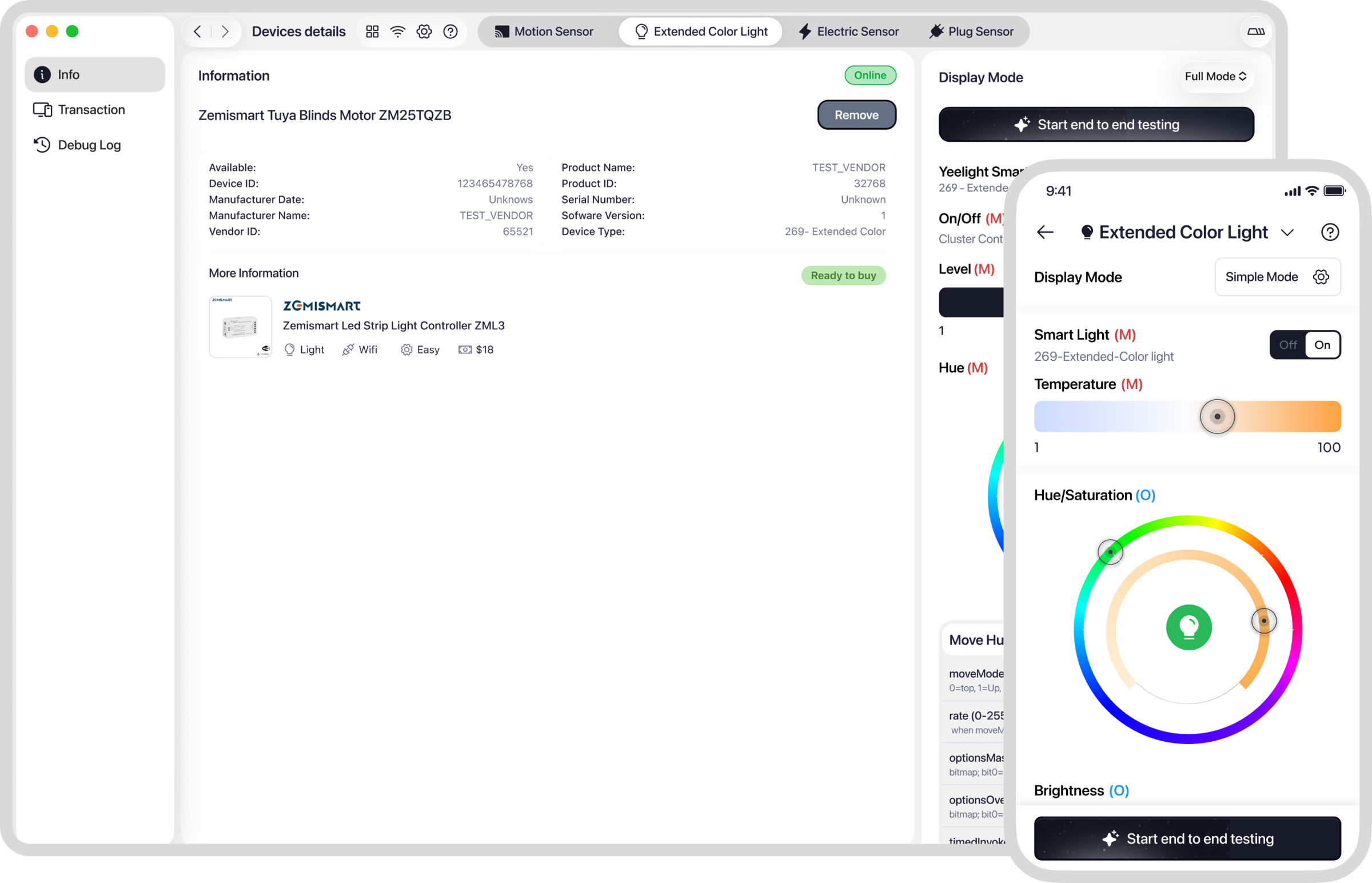
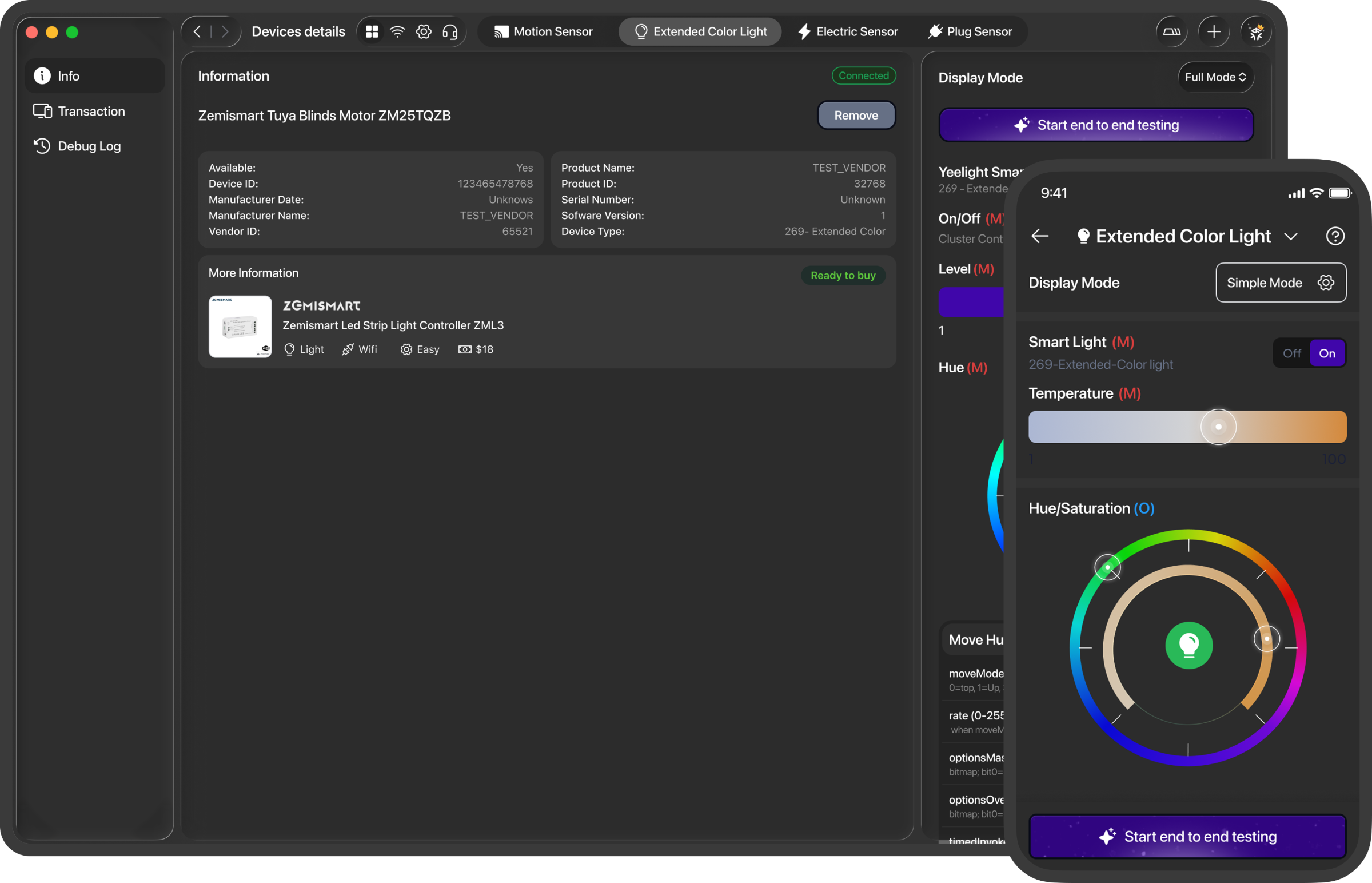
Everything to build, validate & debug a Matter device.
Tap a point on the interface to see what each part does.
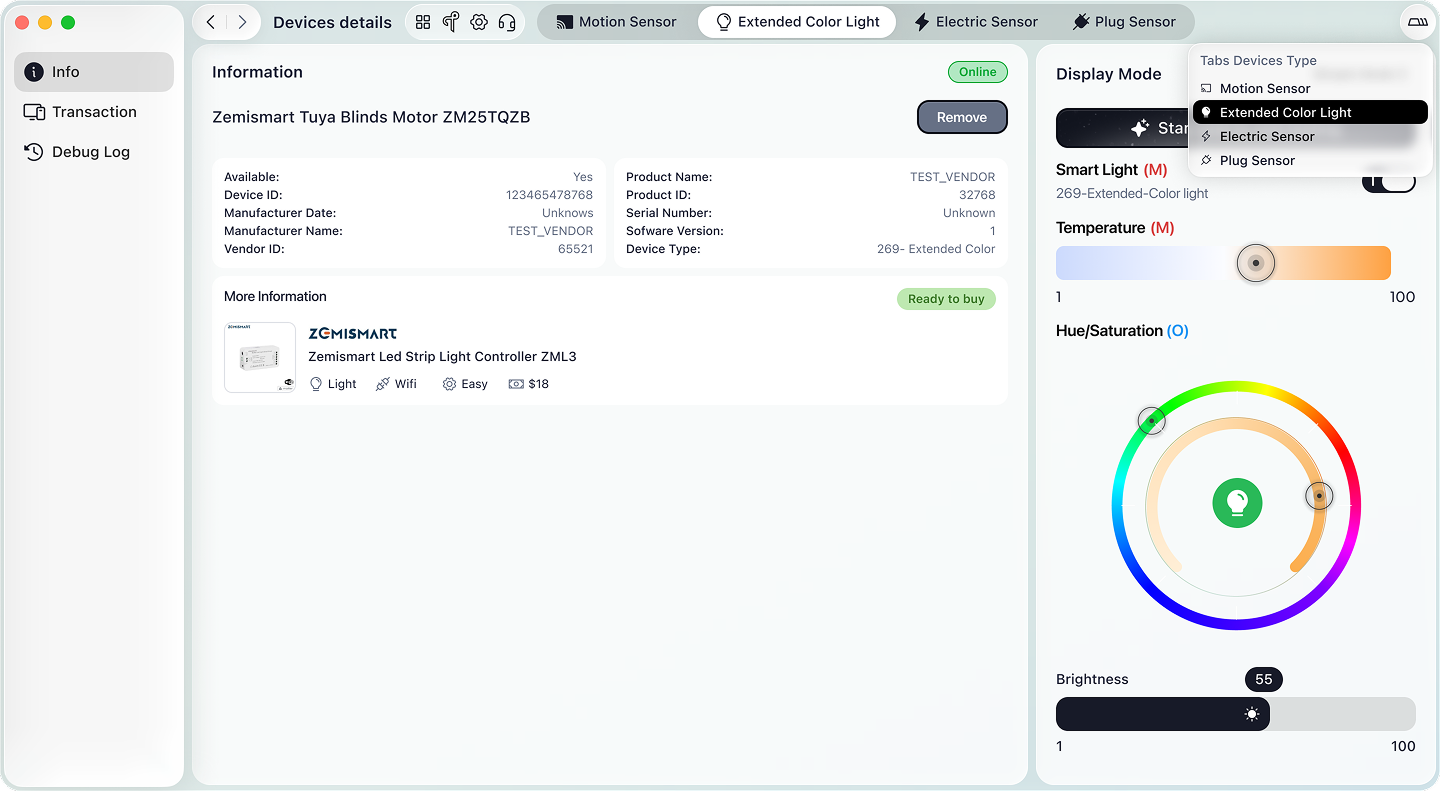
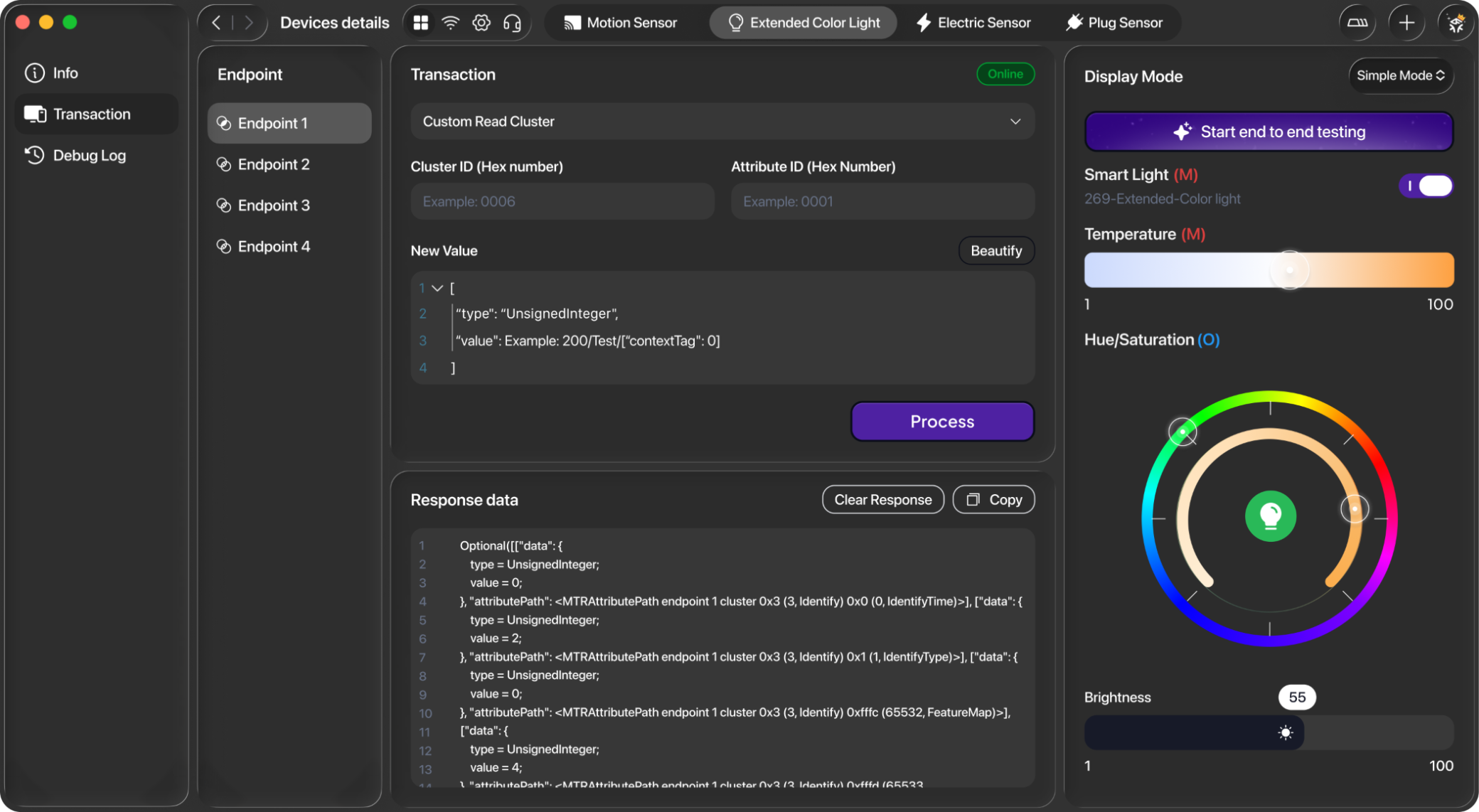
Manage device information, transactions, and debug logs directly from the taskbar.
View transaction history for individual endpoints.
Manage all device clusters directly from the header bar.
Control the device with three distinct modes.
This is where you can control and manage the device’s attributes.
Drag and drop with flexible customization, visualize changes intuitively, and test them directly on your device.
Run end-to-end test flows. Read the results.
Generate test cases from device endpoints and run selected steps sequentially — root checks, on/off, levels, color temperature, hue and saturation. Review pass/fail and export the log.
Article 04: Matter Fabrics, Multi-Admin, Access Control, and Trust: The Architecture Behind Multi-Ecosystem Smart Homes
Learn explain what a fabric is, how multi-admin changes smart-home ownership, and why trust management is central to Matter with a professional, easy-to-understand guide for smart-home product teams, IoT developers, mobile engineers, and technical content teams.
Read postArticle 03: Understanding the Language Every Matter Device Speaks
Learn make the Matter data model easy to reason about for developers building or controlling devices with a professional, easy-to-understand guide for smart-home product teams, IoT developers, mobile engineers, and technical content teams.
ReadArticle 02: How a Matter Device Joins Your Smart Home
Learn explain Matter setup step by step, including discovery, PASE, attestation, operational certificates, network provisioning, operational discovery, and commissioning completion with a professional, easy-to-understand guide for smart-home product teams, IoT developers, mobile engineers, and technical content teams.
ReadArticle 01: Why Everyone Talks About Matter—But Few People Actually Explain It
Learn understand what Matter is, why it exists, what problem it solves, where it still falls short, and how the major pieces fit together with a professional, easy-to-understand guide for smart-home product teams, IoT developers, mobile engineers, and technical content teams.
ReadBurning questions, answered.
Simple answers to make things clear.
Matter is a unified, open-source application-layer connectivity standard built to enable developers and device manufacturers to connect and build reliable, and secure ecosystems and increase compatibility among connected home devices. It is built with market-proven technologies using Internet Protocol (IP) and is compatible with Thread and Wi-Fi network transports.
Matter was developed by a Working Group within the Connectivity Standards Alliance (Alliance). This Working Group develops and promotes the adoption of the Matter standard, a royalty-free connectivity standard to increase compatibility among smart home products, with security as a fundamental design tenet.
The vision that led major industry players to come together to build Matter is that smart connectivity should be simple, reliable, and interoperable. The standard was built around a shared belief that smart home devices should be secure, reliable, and seamless to use.
By building upon Internet Protocol (IP), Matter enables communication across smart home devices, mobile apps, and cloud services and defines a specific set of IP-based networking technologies for device certification.
The Matter specification details everything necessary to implement a Matter application and transport layer stack. It is intended to be used by implementers as a complete specification.
The Alliance officially opened the Matter Working Group on January 17, 2020, and the specification is available for adoption now.
Visit buildwithmatter.com to learn more and read the latest news and updates about the project.
If you’re looking to scan a Matter QR code for a smart home device, you can typically find it:
• On the device itself – usually printed directly on the product
• On the packaging/box of the device
• In the device’s manual or quick start guide
• Sometimes as a sticker attached to the product or included in the box
The Matter QR code usually looks like a standard QR code with the Matter logo (which resembles an intertwined triple helix) next to or below it. This code always starts with the MT: prefix. If you are using an example from Espressif, you can find the guide here.
We don’t limit the number of devices that can be connected. So in theory, you can add as many devices as you want.
Yes, we can connect multiple devices at the same time, but we are only able to interact/debug with one device at a moment because this application is focused on developers. We want to help them debug each device more easily.
Matter Custom Fabric pairing on macOS requires the user-installed Apple Bluetooth Central Matter Client configuration profile before pairing can begin.
# Troubleshooting Steps
## 1. Check power and range
- Make sure the device is powered on and within range of your Wi-Fi or Thread network.
## 2. Restart or reset the device
- Power-cycle the device.
- If needed, perform a factory reset following the manufacturer’s instructions.
## 3. Verify your network
- Connect your phone to a 2.4 GHz Wi-Fi network (if applicable) and ensure the device is also on the same 2.4 GHz Wi-Fi.
- Temporarily disable any VPN or custom network profiles.
- If your device is already on a 2.4 GHz Wi-Fi network, your router may have run out of IP addresses. Try restarting your router to refresh its connections.
## 4. Update software
- Ensure the Matter Utilities app is on the latest version.
- Check for firmware or OS updates for the device.
---
# If the issue persists, please provide:
- Device model and firmware version (if available)
- Phone/tablet model and OS version
- A brief description of what happens when you try to control the device
- Any error messages shown in the app
- Screenshots or a short screen recording showing the problem (if possible)